Speak freely.
Type perfectly.

Hold a hotkey, speak naturally, release. Clean text appears where your cursor is — no filler words, no cloud, no cost.

macOS 14+ · No account required

New Message — Mail
To: team@company.com
Subject: Project status update
Whispr
What you said

“Uh, hey team, so I just wanted to, um, send a quick update on the project... we’re like, on track for the Thursday deadline I think, and uh, everyone should review the notes from yesterday and like, confirm your action items by end of day.”

What Whispr typed

“Hi team, I wanted to send a quick update on the project. We’re on track for the Thursday deadline. Please review the notes from yesterday’s meeting and confirm your action items by end of day.”

How it works

Three seconds
to clean text.

01

Hold your hotkey

Press and hold fn, Ctrl+Space, or your preferred shortcut. Whispr starts listening instantly.

02

Speak naturally

Talk the way you think — pauses, filler words, restarts. Don’t rehearse, just speak.

03

Release. Done.

Clean text appears right where your cursor was. No ums, no uhs. Just your words, polished.

Choose your engine

Four AI models.
One hotkey.

Three run completely offline. Or bring your OpenAI key for cloud-grade accuracy.

Recommended Offline

Parakeet v3

Runs on Apple’s Neural Engine. Fast, private, zero ongoing cost.

250 MB one-time download — then free forever
Offline

Whisper Large Turbo

Highest offline accuracy. Multilingual support.

600 MB download
Offline

Whisper Small

Lightweight and fast. English-optimized, quantized.

190 MB download
Cloud

OpenAI gpt-4o

Best-in-class accuracy. Bring your own API key.

~$0.006/min — fractions of a cent
Why Whispr

Dictation that
respects you.

Instant, on-device

No upload delay. Your voice is transcribed in real-time, right on your Mac. Works without internet, without an account, without sending a single byte off your machine.

While other tools round-trip your audio to remote servers and charge $10–20/month, Whispr runs locally and costs nothing.

Free, forever

No subscription. No trial period. No hidden costs. Open source — inspect every line of code yourself.

Works everywhere

Email, Slack, Notes, VS Code, your terminal — anywhere you can type, Whispr can speak.

Smart cleanup

Filler words, false starts, verbal tics — removed automatically. Your thoughts, polished and ready to send.

Your voice never
leaves your Mac.

Whispr processes everything locally using on-device AI models. Your audio is never uploaded, stored on a server, or shared with anyone. No account. No telemetry. No exceptions.

FAQ

Questions?
Answered.

Is Whispr really free?

Yes. Whispr is open source and completely free. There are no subscriptions, no premium tiers, no time-limited trials, and no hidden costs. The offline models are included — download once and use forever.

Does it work without internet?

Yes. Three of the four models (Parakeet v3, Whisper Large Turbo, Whisper Small) run entirely on your Mac. No internet connection needed after the initial model download. The fourth option (OpenAI gpt-4o) requires internet and your own API key, but it’s completely optional.

How accurate is the transcription?

Very accurate for English. We recommend Parakeet v3 for the best balance of speed and accuracy — it runs on Apple’s Neural Engine and handles natural speech well. For maximum accuracy, the OpenAI gpt-4o cloud model is available with your own API key.

What about other languages?

Currently, Whispr is optimized for English. The Whisper Large Turbo model has multilingual capabilities, but the app’s cleanup and filler-word removal are tuned for English. Multi-language support is on the roadmap.

How do I set up Whispr?

Open the DMG, drag Whispr to Applications, and launch it. macOS will ask you to grant Microphone and Accessibility permissions (needed for the global hotkey and paste). That’s it — hold fn and start speaking.

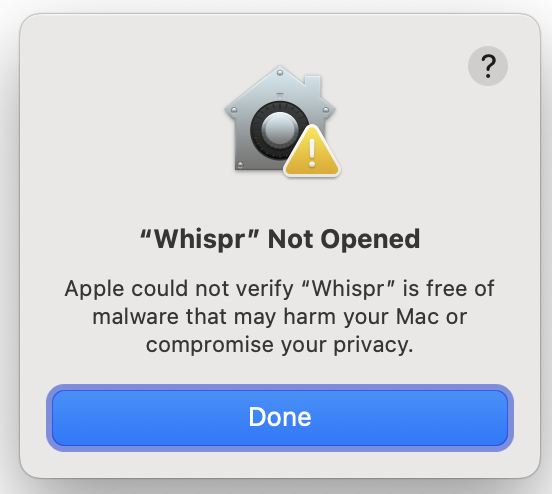
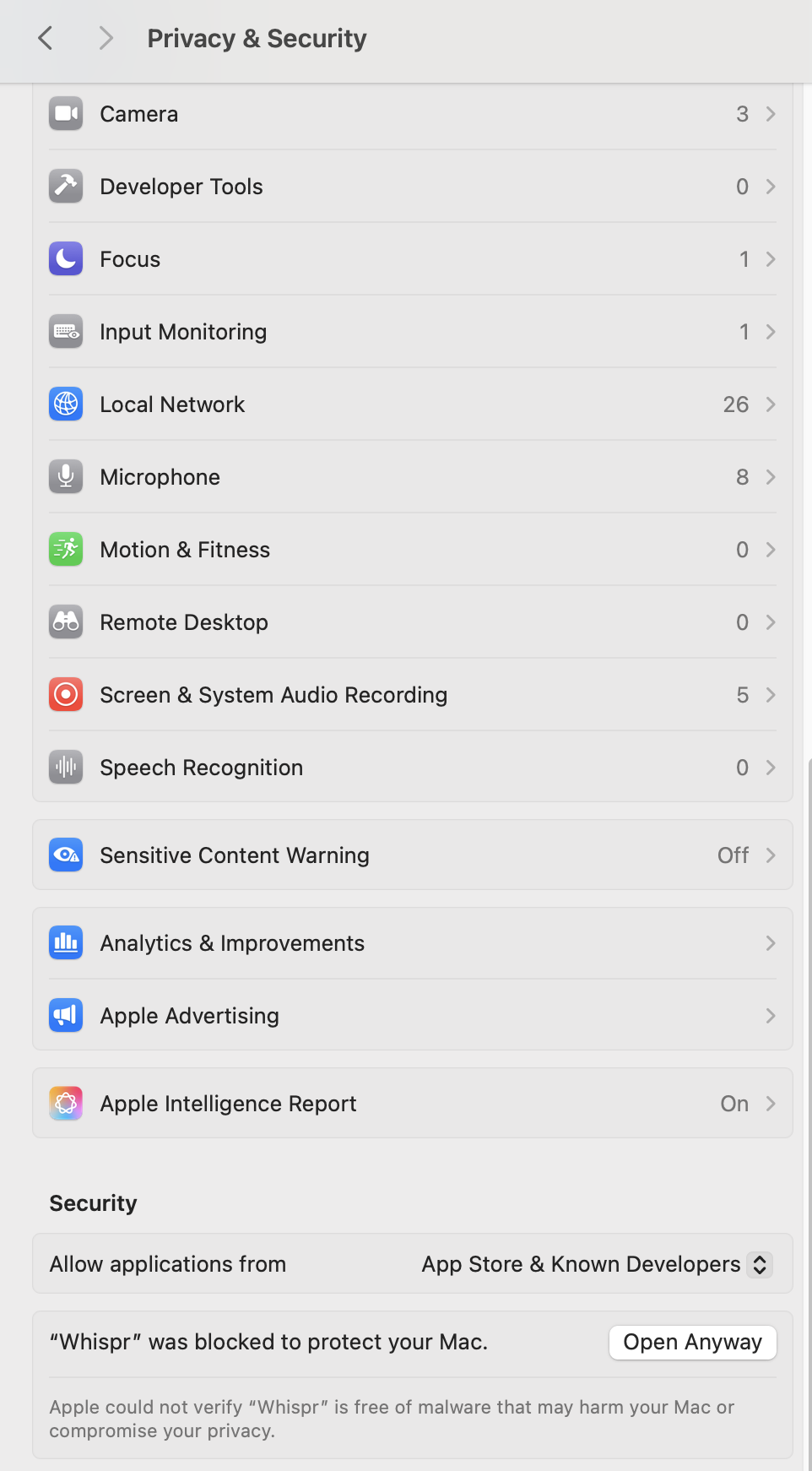
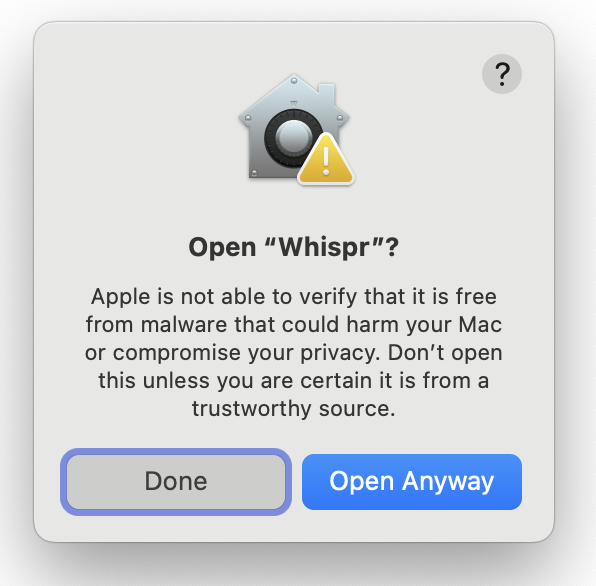
Why does macOS say it can’t verify Whispr?

Whispr isn’t notarized with Apple (that requires a $99/year developer subscription). It’s completely safe — fully open source and auditable. See the 3-step fix →

Is it safe? Can I trust it?

Whispr is fully open source — you can inspect every line of code on GitHub. Audio is processed on-device and never transmitted. The app requires Microphone and Accessibility permissions (for the global hotkey and paste), both of which macOS explicitly asks you to grant.

Ready?

Start speaking.
Stop typing.

Download Whispr — Free

macOS 14+ · No sign-up · Build from source